
Configuration
one document you host.
TIDE reads its operator settings from one JSON document. You write it with the operator panel of your own operator build, then host it as one file that every user build reads. Three build settings exist: your domain, the URL of that file and, for your operator build only, a passcode.
01Two places, one rule
| Where | What goes there | Change needs |
|---|---|---|
Build setting --dart-define=TIDE_HOST=… | Your domain. Site, docs, terms and privacy links are built from it. | A new build |
Build setting --dart-define=TIDE_CONFIG_URL=… | The https URL of your hosted configuration file. Empty = compiled defaults (no fee). | A new build (once) |
Build setting --dart-define=TIDE_OPERATOR_PASSCODE=… | Your operator build only: adds the operator panel behind this passcode. Never set it in the build you give users. | A new build |
| Operator config document | Fee, feature switches, names, links, RPC endpoint and API keys | Edit in your operator build → Copy as JSON → replace the hosted file. No rebuild. |
TIDE has no .env. Three --dart-define values configure it: TIDE_HOST (lib/core/config/app_endpoints.dart, with the optional overrides TIDE_TERMS_URL, TIDE_PRIVACY_URL and TIDE_SUPPORT_EMAIL), TIDE_CONFIG_URL (lib/core/config/remote_config_fetcher.dart) and TIDE_OPERATOR_PASSCODE (lib/core/config/operator_access.dart). Keys are never compiled in: RuntimeKeys.assertShipsKeyless() runs at start-up and fails a debug build if one ever is.
02Your domain (TIDE_HOST)
Default: the placeholder app.example.com, which is not a real site. Pass your own host (no https://) on every run and build:
flutter run -d chrome --dart-define=TIDE_HOST=app.example.com
flutter build web --release --dart-define=TIDE_HOST=app.example.com| Derived value | Result for app.example.com |
|---|---|
| Site | https://app.example.com |
| Docs link in the app | https://app.example.com/docs |
| Terms / privacy | https://app.example.com/terms, /privacy |
If you set Website, Terms URL or Privacy URL in the operator panel, the app uses those and ignores the derived value. The support address defaults to support@<TIDE_HOST>; set Support email in the panel (and so in your hosted file) to use another one. If your host has no /terms or /privacy page, build with --dart-define=TIDE_TERMS_URL=… and --dart-define=TIDE_PRIVACY_URL=…; --dart-define=TIDE_SUPPORT_EMAIL= (empty) shows no support address at all. tool/build_web_demo.sh uses all three for the public demo.
03The layers
Weakest first. The strongest layer that supplies a value wins that value, leaf by leaf (lib/core/config/config_layers.dart). A hosted value always outranks a value stored on a device.
| Layer | What it is |
|---|---|
| 1. Built-in default | AdminConfigModel.defaults, compiled in. No fee, no copy execution, the Realised tab off. |
| 2. Operator panel | What was saved on this device. Only in an operator build (TIDE_OPERATOR_PASSCODE); a user build never reads it. Stored sparse: only values you changed. |
| 3. Cached remote document | The last hosted document this device fetched. Used only when a fetch fails. |
| 4. Remote document | The file at TIDE_CONFIG_URL, fetched at start-up (how). |
5. --dart-define | Fixed at build time and shown read-only. |
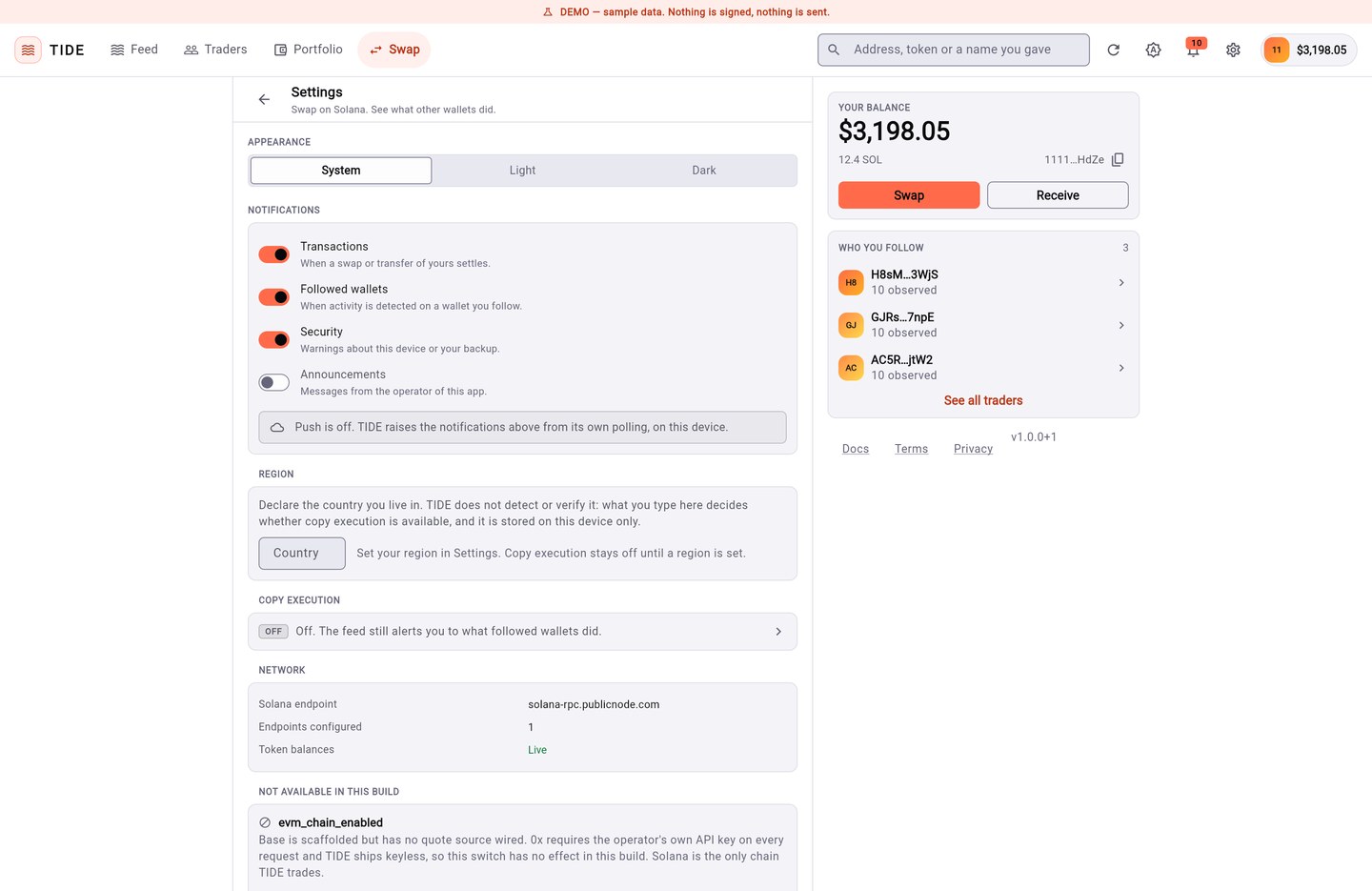
Operator panel → In force right now lists every value the app is running on and which layer it came from.
04The document
This is the full shape, with the shipped defaults. Operator panel → Copy as JSON gives you the same shape with your values (only the ones you changed).
{
  "config_version": 1,
  "app_name": "TIDE",
  "tagline": "Swap on Solana. See what other wallets did.",
  "support_email": "",
  "website_url": "",
  "terms_url": "",
  "privacy_url": "",
  "announcement": "",
  "min_app_version": "",
  "default_slippage_pct": 1.0,
  "admin_locked": false,
  "flags": {
    "swap_enabled": true,
    "feed_enabled": true,
    "watchlist_enabled": true,
    "profiles_enabled": true,
    "realised_standings_enabled": false,
    "push_enabled": false,
    "evm_chain_enabled": false,
    "copy_execution_enabled": false
  },
  "fee": {
    "fee_enabled": false,
    "fee_bps": 0,
    "min_fee_usd": 0,
    "solana_fee_wallet": "",
    "evm_fee_wallet": ""
  },
  "keys": {
    "helius_api_key": "",
    "zerox_api_key": "",
    "solana_rpc_url": "",
    "evm_rpc_url": ""
  },
  "extra_restricted_regions": []
}
An unknown flag key is ignored. A region code that is not two letters is dropped. Every rate is clamped to its code cap on the way in (caps).
05Feature switches
| Key | Default | What it does |
|---|---|---|
swap_enabled | on | Swap screen |
feed_enabled | on | Feed of followed wallets |
watchlist_enabled | on | Following wallets |
profiles_enabled | on | Profile of a followed wallet |
realised_standings_enabled | off | The Realised tab: what each followed wallet settled, listed in follow order, never ranked. Off removes the tab and every route into it. |
push_enabled | off | Push registration, if you wire a token provider (push) |
evm_chain_enabled | off | Not active in this version Base is scaffolded but no quote source is wired, so the switch has no effect. |
copy_execution_enabled | off | Copy execution module (read first) |
06Endpoints and keys
Key in keys | Purpose | Get it at |
|---|---|---|
solana_rpc_url Recommended | Your Solana RPC endpoint. Replaces the public one, and makes SPL balances load on the web build. | Any Solana RPC provider |
helius_api_key | Not active in this version Stored and shown as set, but no network call reads it in 1.0.0. To use Helius, paste the full URL https://mainnet.helius-rpc.com/?api-key=<your-key> into solana_rpc_url instead. | helius.dev |
zerox_api_key | Not active in this version Reserved for the EVM chain, which has no quote source. | |
evm_rpc_url | Not active in this version Same reason. Not shown in the panel. |
Anything you put in a hosted document can be read by anyone who finds its URL, and every app build can read it. Use RPC URLs and keys that are restricted in your provider's dashboard (allowed origins, rate limits). A support dump made with toJsonRedacted() shows keys only as [set].
07Publishing your configuration
Your users' builds have no operator panel. They read one file you host. No code change is needed.
- Make your operator build
flutter run -d chrome --dart-define=TIDE_OPERATOR_PASSCODE=choose-your-own(Operator panel). - Set everythingIn the operator panel, then press Copy as JSON.
- Host itSave the text as a file, for example
tide-config.json, on any HTTPS static host you control (your host's fees apply). Only https URLs are accepted. - Build the user app with the URL
The same two defines go onflutter build appbundle --release \ --dart-define=TIDE_HOST=app.yourdomain.com \ --dart-define=TIDE_CONFIG_URL=https://app.yourdomain.com/tide-config.jsonflutter build ipaandflutter build web. Do not passTIDE_OPERATOR_PASSCODEhere. - Change settings laterEdit in your operator build, Copy as JSON, replace the hosted file. Every install reads it on its next start and caches the last good copy.
Optional: "admin_locked": true in the hosted file makes the panel of an operator build read-only and ignores its stored values, which is useful when several people hold operator builds. Firestore or Remote Config can replace the file: pass your own fetchRemote to AdminConfigService in lib/main.dart (see docs/FIREBASE-SETUP.md in the source).
08Push notifications and Firebase (optional)
TIDE works without Firebase and ships no Firebase files. Push is a keyless hook: PushNotificationService in lib/core/notifications/push_notification_service.dart accepts a tokenProvider you supply. To use Firebase: create your own project, add the firebase_core and firebase_messaging packages, run flutterfire configure, initialise Firebase in lib/main.dart, and pass tokenProvider: () => FirebaseMessaging.instance.getToken(). Sending pushes needs a server or the Firebase console; TIDE includes none. These steps are from docs/FIREBASE-SETUP.md and were not run for these docs.
If you store config in Firestore, keep it read-only for clients and never store anything that links a person or device to a wallet address.
09Where data is stored
| Data | Where |
|---|---|
| Seed phrase and keys | iOS Keychain / Android Keystore, encrypted by TIDE with AES-256-GCM first. Web: browser storage, sealed with keys derived from the user's vault passphrase (PBKDF2), which is never stored |
| Operator panel values | On the device of an operator build only (AdminConfigStore) |
| Watchlist, notifications, preferences, copy rules, declared region | On the device |
There is no server and no database. Nothing is uploaded.